

Marketplace Feeds
Marketplace Feeds need the Pro or Business plan. See Plans & Pricing.
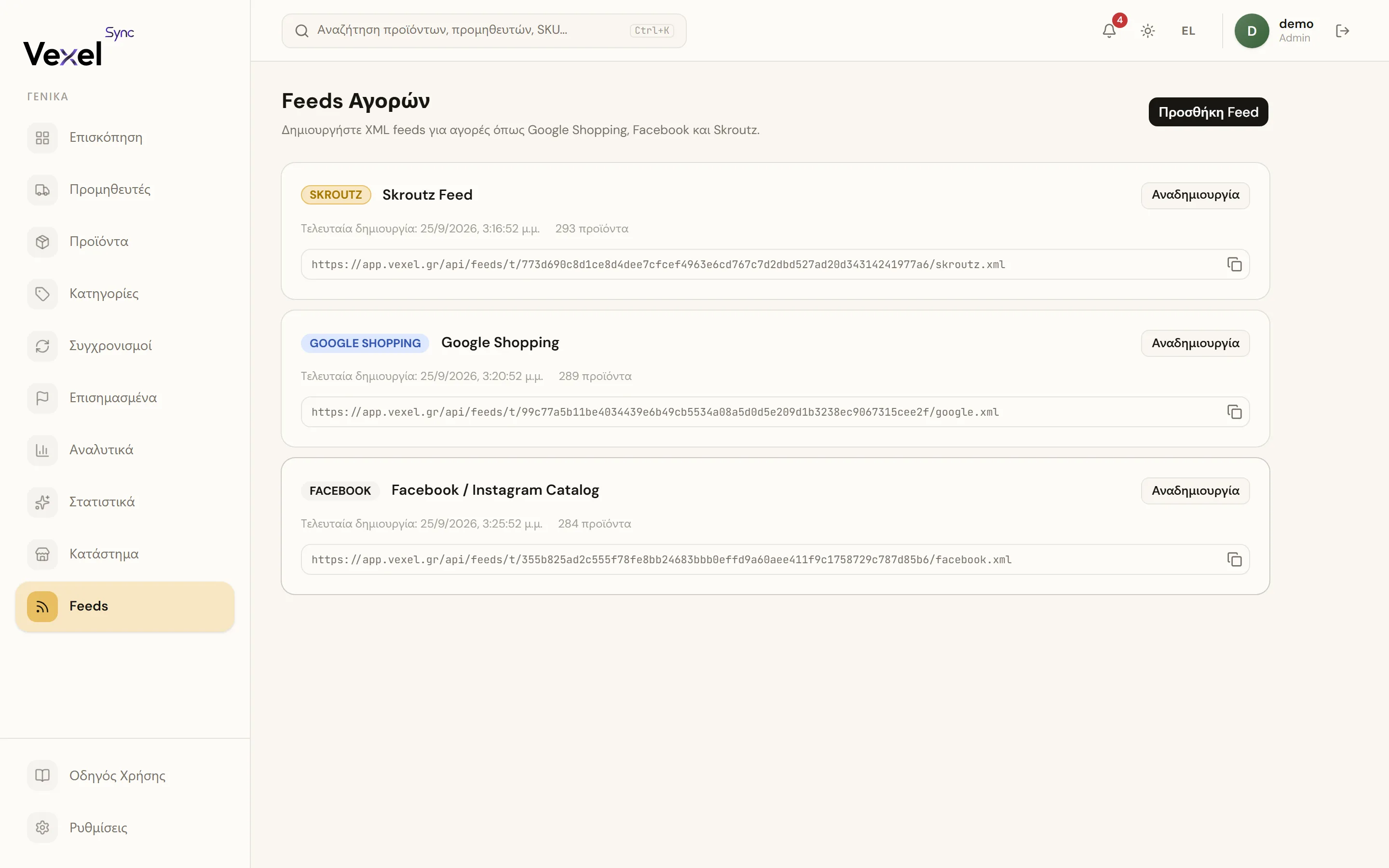
The Feeds page generates XML feeds from your catalog for Google Shopping, Facebook, and Skroutz. You give the feed URL to the platform and it reads your products automatically.
Creating a feed

- Feeds → Add Feed.
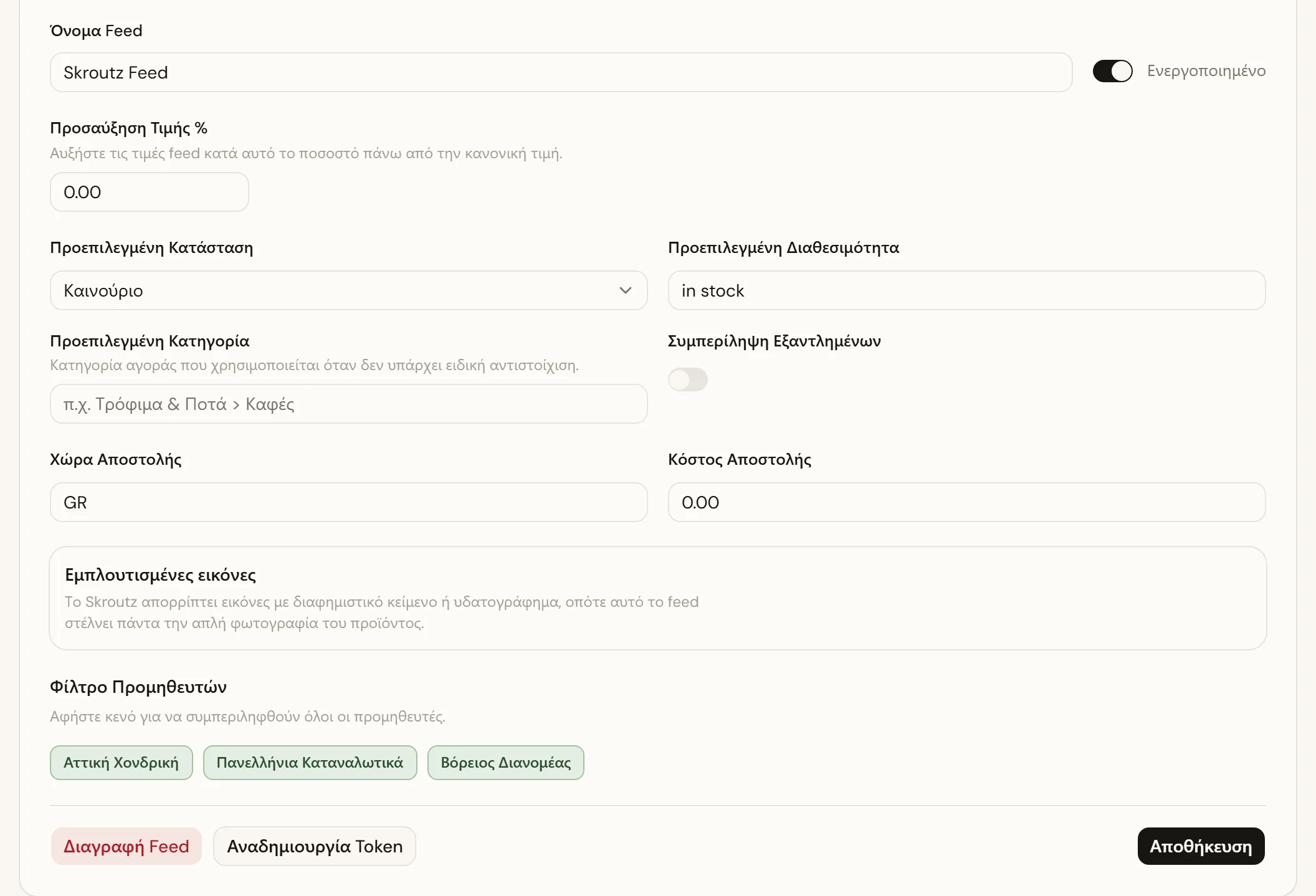
- Pick the Marketplace and give the feed a Name.
- Optionally configure:
- Price Markup %: raises feed prices above the regular price (e.g. to cover platform fees).
- Default Condition / Availability: values for products without their own.
- Default Category: marketplace category used when no specific mapping exists.
- Filter by Suppliers: leave empty to include all suppliers.
- Include Out of Stock: whether out-of-stock products are included.
- Shipping Country / Price.
- Click Create Feed.
Using it
- Feed URL → Copy URL and paste it into the platform (Google Merchant Center, etc.).
- Regenerate: rebuilds the XML with the current products. "Last generated" shows when it was refreshed.
- Regenerate Token: changes the secret part of the URL. The old URL stops working; update the platform.
Category Mappings
In the Category Mappings tab you map your internal categories to the marketplace's categories (e.g. your "Coffee > Espresso" to the matching Google category). Products without a mapping use the Default Category.
- Click Add Mapping.
- Pick the Internal Category and the Marketplace Category.
- Click Save Mappings.
Creative images for Facebook
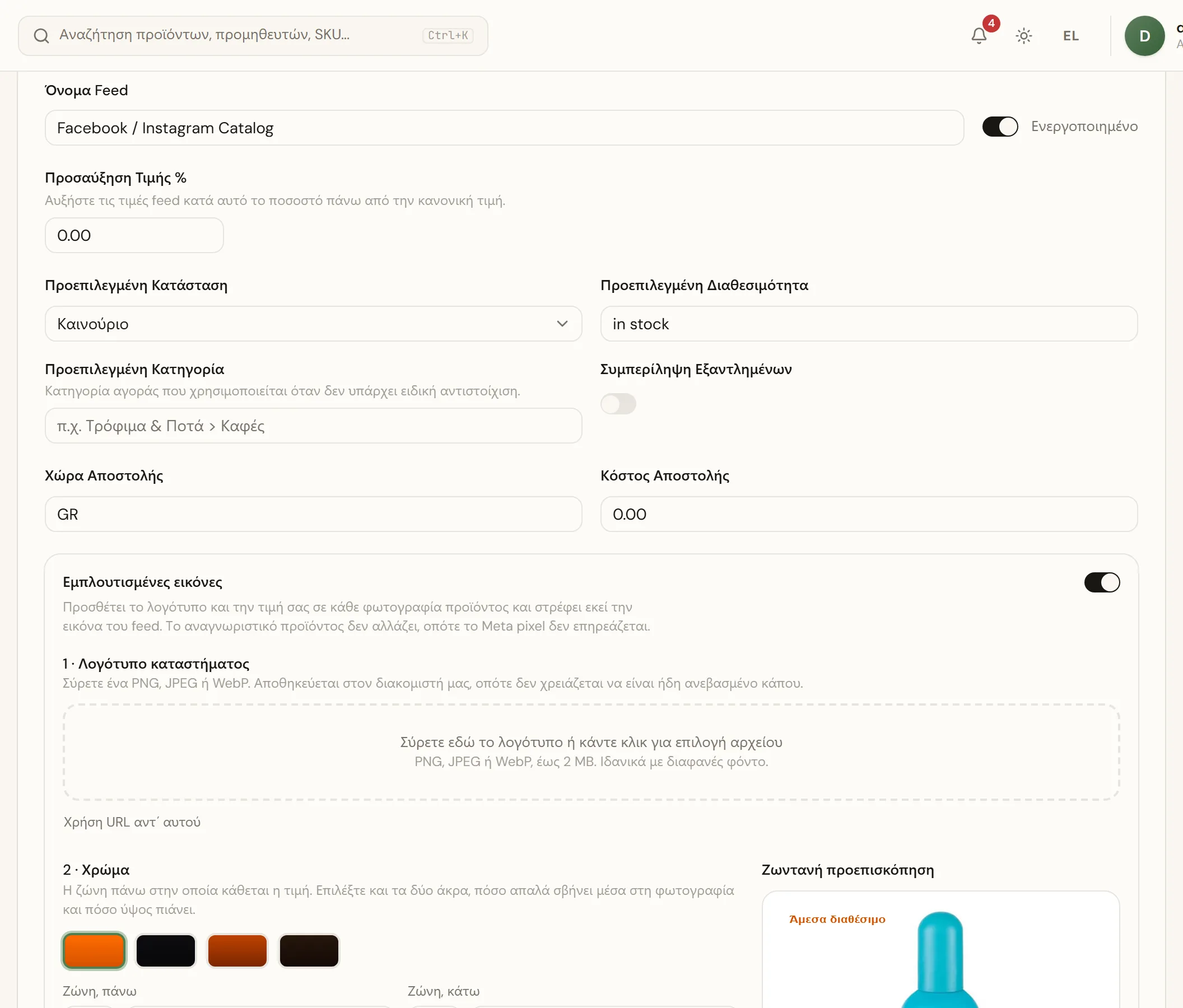
For Facebook feeds you can generate enriched listing images with your logo, price, and badges like "Free shipping" or "On sale" instead of the plain product photo. See the full walkthrough in Ad images for Facebook and Instagram.